
Blogs & Articles
Read useful articles, tips, and updates about computers, IT solutions, and technology trends.
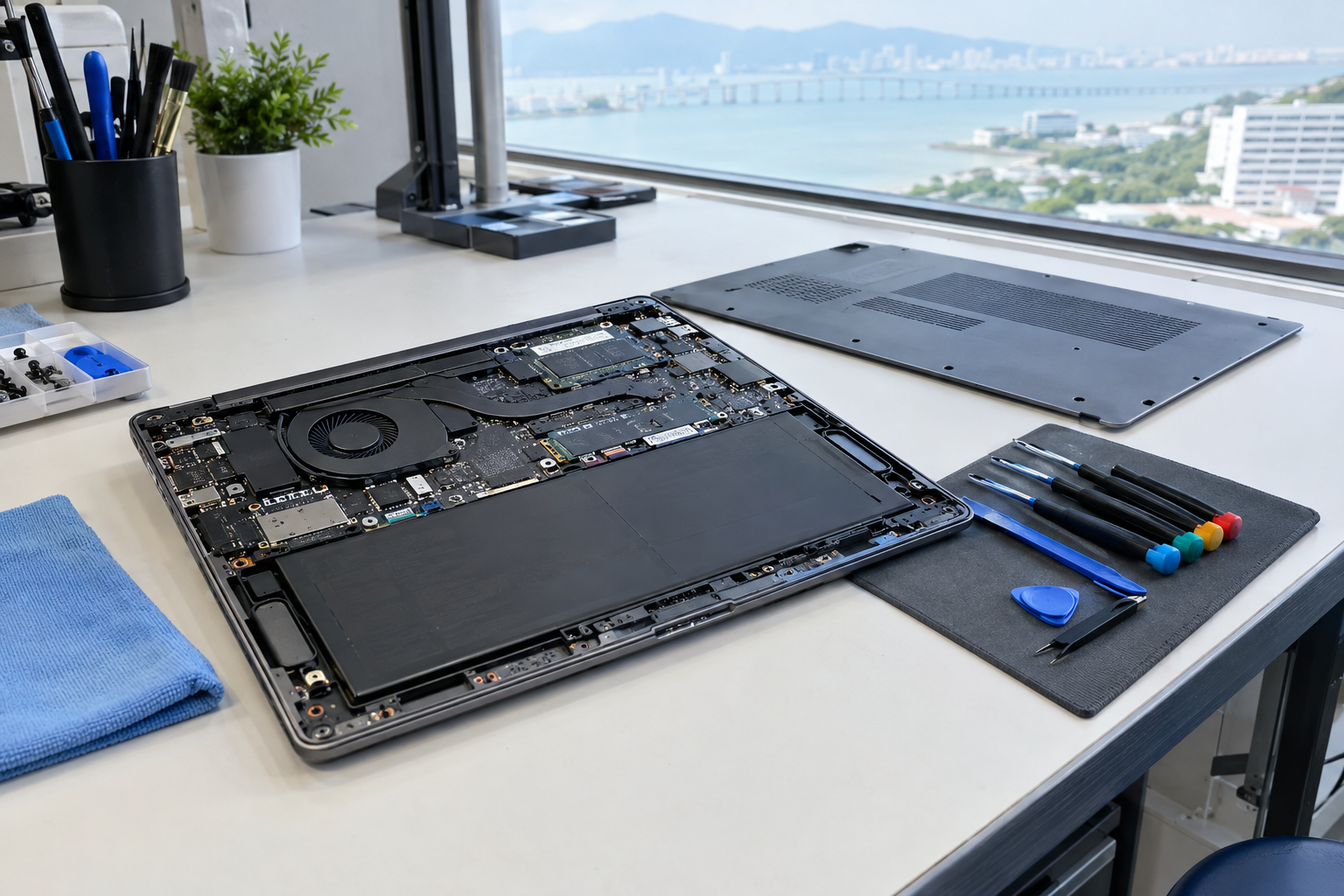
Laptop battery replacement in Penang: when to replace, how it works and local options
If your laptop now runs for only a short time, reports poor battery health, shuts down unexpectedly or shows signs of swelling, a battery replacement may be appropriate. There is no single replacement interval for every laptop. The right decision depends on the exact model, battery condition, usage pattern, repair quotation and the condition of the rest of the device.
For Penang laptop owners, the practical next step is to record the exact model and symptoms, back up important data where possible, stop using the laptop if the battery is swollen or physically damaged, and request a model-specific quotation. The quotation should identify the battery type, compatibility, labour, warranty and expected turnaround.
Very short runtime is a useful warning sign, particularly when the laptop previously lasted much longer under similar use. Other common replacement symptoms include an operating-system battery-health warning, unexpected shutdowns, BIOS battery warnings or a swollen trackpad or chassis. These signs can indicate battery deterioration, but they do not prove that the battery is the only fault. Charging-port, motherboard, software and power-setting problems can produce similar complaints.
Do not continue using a battery that is swollen or physically damaged. Swelling may appear as a raised trackpad, a distorted bottom cover or a chassis that no longer sits flat. Treat this as a safety exception rather than an ordinary performance issue: switch off the device if it can be done safely, avoid pressing on the affected area and arrange professional handling promptly.
Two hours of battery life is not, by itself, a universal replacement threshold. Runtime depends on the laptop model, battery capacity, screen brightness, applications, age and power settings. Two hours may indicate deterioration if the same laptop once lasted substantially longer, but it may reflect the original design of an older, high-performance or heavily used laptop if that runtime has always been normal.
Start with the exact laptop model, not just the brand. A single brand can use different battery shapes, connectors and capacities across product families. Record the model number from the underside label, system information screen or original purchase documentation. If available, note the battery-health report, BIOS warning and whether the laptop still charges and operates normally.
Charge-cycle information can add context, but it should not be treated as the only reason to replace a battery. Apple defines one charge cycle as using the equivalent of 100% of the battery capacity, even if that use happens across several charging sessions. Cycle limits vary by Mac model; many listed MacBook models refer to a maximum of 1,000 cycles and are designed to retain up to 80% capacity at that point. Those figures are Mac-specific and should not be generalised to every Windows laptop.
Back up important files before handing over a working laptop. A battery replacement should not normally be treated as a data-recovery service, so keeping a current backup reduces the impact of an unexpected hardware problem.
The process depends on the laptop design. Older models may have a removable battery pack that can be released without opening the main case. Many modern laptops use an internal battery, so replacement generally involves removing the bottom cover, disconnecting the battery safely, fitting the compatible replacement and testing charging and operation.
| Stage | What is checked or done | Why it matters |
|---|---|---|
| 1. Identify | Confirm the exact model, battery type, connector and compatibility. | Prevents a physically similar but unsuitable battery being fitted. |
| 2. Inspect | Check for swelling, chassis distortion, charging faults and related damage. | Separates a battery replacement from a wider repair. |
| 3. Access | Remove a removable pack or open the bottom cover for an internal battery. | Internal access can require careful handling of the case and connectors. |
| 4. Replace | Disconnect the old battery and install the specified compatible part. | Correct fit and electrical compatibility are essential. |
| 5. Verify | Check charging, battery detection and normal laptop operation. | Confirms that the laptop recognises the replacement and operates as expected. |
DIY replacement may be reasonable only when the battery is accessible, undamaged and the owner has the correct model-specific instructions and tools. An internal, swollen, damaged or difficult-to-access battery is a poor candidate for casual experimentation. Lenovo service documentation, for example, illustrates that some battery procedures require bottom-cover removal and the use of the exact authorised battery. Follow the relevant manufacturer instructions or use a qualified repair provider for the specific model.
There is no single reliable Penang price because compatibility, parts availability, battery type and labour differ between models. One Malaysian repair listing publishes standard internal battery replacement prices beginning at RM199, but that is an indicative reference rather than a fixed Penang quotation.
Before approving the work, ask these questions:
Compare total value rather than choosing solely by the lowest advertised amount. A cheaper part may not offer the same compatibility, warranty or expected service life, while a higher quotation may include diagnosis, installation and post-repair testing. A local shop, onsite visit or manufacturer-authorised route may suit different needs; compare convenience, access to the correct part, warranty terms and how clearly the provider explains the repair.
If you are arranging a battery replacement and also need help checking the laptop’s wider condition, use a service page that covers more than the battery itself. This can make it easier to ask whether the quotation includes diagnosis, installation and post-repair checks, rather than comparing an isolated part price. You can review the available computer services before contacting the provider, then send the exact model, symptoms and any safety concern so the discussion stays focused on the correct repair route.
Do not assume that a battery listing or repair advertisement proves regulatory approval for a particular device or replacement part. Malaysia’s Energy Commission explains that some equipment operating entirely on batteries, as well as certain USB or DC-powered equipment examples, may fall within equipment approval guidance depending on the equipment category. Check the current guidance for the specific equipment rather than treating a generic battery statement as confirmation that a particular replacement is approved. Read the Energy Commission’s Certificate of Approval guidance.
This regulatory question is separate from the immediate safety issue. A visibly swollen or damaged battery should not be kept in use while waiting for a quotation, regardless of the advertised price or approval wording.
Replacement is more likely to make sense when the laptop starts normally, has a usable screen and keyboard, meets your performance needs and costs substantially less to repair than buying a comparable device. Compare the quoted repair cost with the laptop’s age and condition, the battery warranty and the price of a suitable replacement laptop.
Replacement will not resolve unrelated faults such as a failing charging port, motherboard problem, damaged display or severe performance limitation. Ask the provider to separate the battery quotation from any additional diagnosis or repair so that you can make an informed repair-versus-replace decision. If the battery is swollen or physically damaged, safety takes priority over continued use or cost comparison.
After replacement, avoid unnecessary heat and frequent deep discharges. Microsoft’s guidance suggests keeping a battery roughly between 20% and 80% when practical and avoiding high temperatures, which speed up battery ageing. Charge to 100% when you need maximum unplugged runtime; an occasional full charge is not automatically harmful.
If the laptop will be stored for a long time, follow the manufacturer’s storage advice for your model. These are practical battery-care measures, not a guarantee of a fixed lifespan. The laptop model, heat exposure, workload and charging pattern still affect battery wear.
There is no fixed interval. Replace a battery when its runtime becomes unacceptable, the operating system reports poor battery health, the laptop shuts down unexpectedly or the battery is swollen or physically damaged. Usage, heat, charge cycles and the laptop model all affect timing.
It depends on the model. A removable battery can be straightforward to swap, while an internal battery requires case access and safe disconnection. A swollen, damaged or difficult-to-access battery should be handled by a professional rather than treated as a casual DIY repair.
There is no single reliable Penang price. Malaysian repair listings may publish starting prices, including one listing beginning at RM199 for standard internal batteries, but the final quotation depends on the exact model, compatible part, availability, labour and warranty. Request a model-specific quotation before approving the work.
No. Stop using a visibly swollen or physically damaged battery and arrange professional handling promptly. Do not press on the swelling or continue using the laptop simply to finish current work.
Prepare your laptop model, symptoms, battery-health information and any photographs of visible swelling or chassis distortion. Back up important files, then ask for a quotation that states the battery type, compatibility, labour, warranty and expected turnaround. For help with laptop-related repair enquiries in Penang, you can review laptop and PC services or call OK Computers on 017-519 0359 with the model details before making a decision.
Reliable on-site and remote IT services for homes and businesses, ready whenever you need support.