
Blogs & Articles
Read useful articles, tips, and updates about computers, IT solutions, and technology trends.
Data recovery in Penang: How it works, when to stop, and how to choose a local lab
If a laptop, desktop, external drive, USB stick, server, NAS or RAID system suddenly loses access to files, stop unnecessary use first. Record what happened, avoid writing new data to the affected storage and contact a suitable recovery provider for an assessment. Do not assume that a general computer repair service and a specialist data recovery lab offer the same process.
Data recovery covers both logical failures, such as corruption or accidental deletion, and physical failures affecting HDDs, SSDs or flash storage. The right next step depends on which type of failure is suspected and whether continued use could worsen it. Seagate describes data recovery as salvaging information from corrupted or damaged HDDs, SSDs and flash storage, including physical and logical failures.
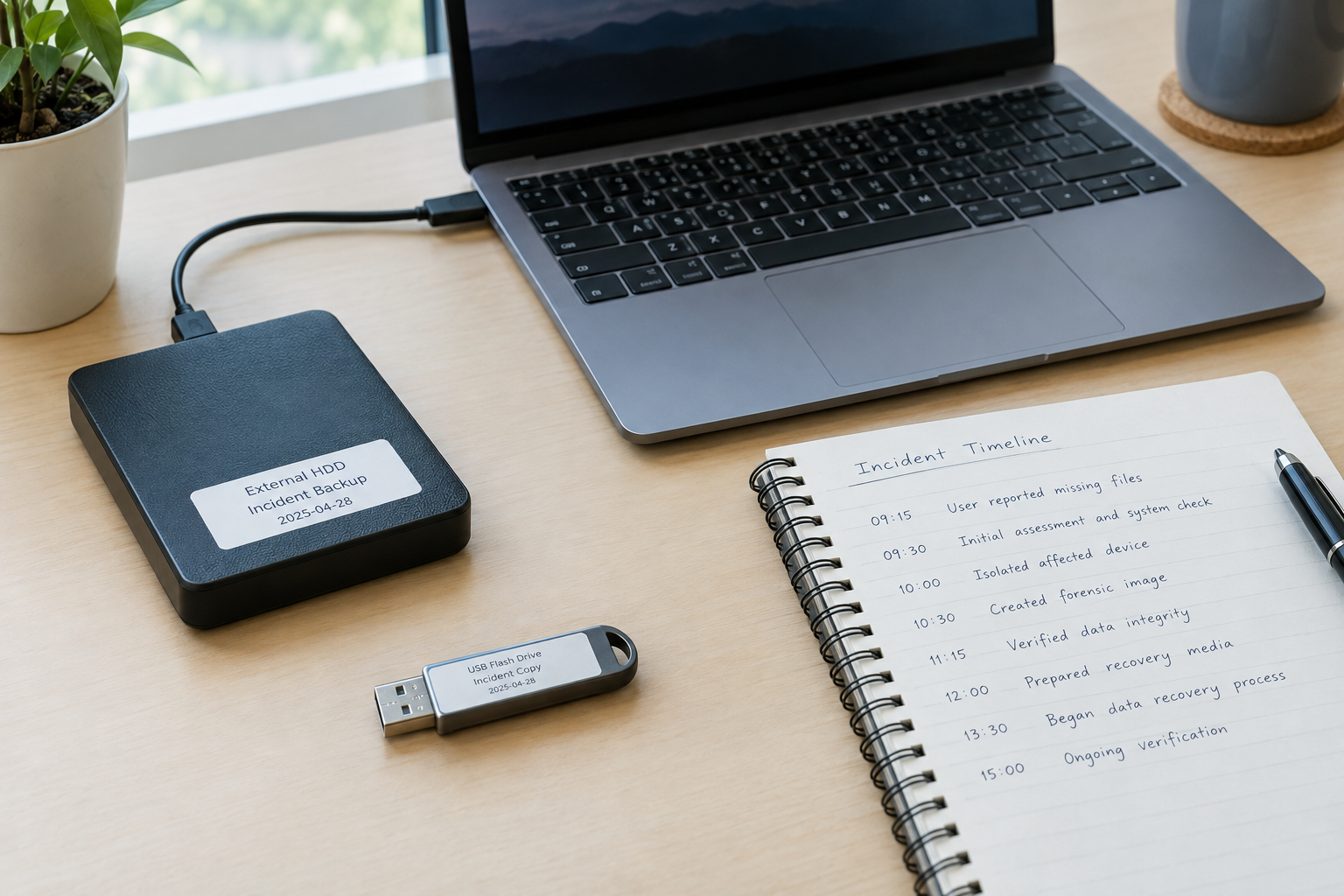
Before trying fixes, write down the device type, the symptoms, the last time the files were accessible and anything that happened immediately beforehand. Useful details include a fall, liquid exposure, power interruption, failed update, accidental deletion, ransomware event or repeated disconnection. Also note whether the drive is still detected and which files are most important.
If the affected storage is a network drive, shared folder or business server, record which users and systems were connected when access was lost. Also check whether a recent backup exists, but do not restore, synchronise or overwrite the original media until the recovery plan is clear. In an emergency, the priority is preservation rather than speed: keep the damaged hard disk or other device available for assessment and provide the incident timeline to the technician. A local computer shop or general IT company may offer a practical collection or replacement-device solution, while the recovery work itself may require a specialist centre. Confirm that distinction before handing over the only copy of important data.
Seagate guidance advises shutting down after suspected physical data loss, stopping further writes and avoiding do-it-yourself recovery software when physical damage is suspected. The reason is practical: continued use can make an already damaged storage device harder to recover.
A credible provider should begin with assessment rather than promising a result from a brief description. The first question is whether the incident is mainly logical, physical or a combination of both. That classification affects the handling method, likely risk, expected time and quotation.
When a provider says it uses advanced technology or can analyse the problem, ask what that means for your specific media and symptoms. Useful answers should identify the suspected failure, the proposed first test, the information that test may reveal and the point at which further work requires your approval. “Best”, “smart” or “expert” wording is not a technical finding, and a search result does not establish that a provider can handle every hard disk, SSD, flash device, server or network volume. Compare the explanation, scope and handling process instead of treating a marketing description as proof of a likely recovery outcome.
| Stage | What it should establish | What you should ask for |
|---|---|---|
| Initial assessment | Symptoms, media type and likely failure category | What has been tested and what remains uncertain? |
| Recovery planning | Whether the work involves logical extraction, imaging, hardware intervention or another specialist method | What steps are authorised, and what could change the estimate? |
| File extraction | Which files can be copied from the affected media | Will recovered files be transferred to a separate accessible device? |
| Verification and return | Whether priority files open and how the original media will be returned or handled | What report, destination media and handling record will I receive? |
Successful recovery normally means copying files to a new accessible device; it does not necessarily mean repairing the failing drive for continued use. Turnaround depends on the severity of damage and other operational factors, so a provider should give a timeframe after assessment rather than an unconditional promise.
Logical problems can include accidental deletion, corruption, damaged file structures or some malware incidents. If the storage device is stable and shows no physical warning signs, a carefully chosen software-based approach may sometimes be appropriate. However, stop if the device begins producing new errors, becomes unusually slow or disconnects.
Physical problems involve damaged storage hardware. Clicking, failure to spin, repeated power cycling, overheating or unexplained mechanical behaviour should be treated as stop-use signals. Professional recovery is a specialised process for damaged digital storage media, not simply a faster version of ordinary file repair.
USB sticks and thumb drives also require care. A provider should confirm whether it handles the specific flash storage and failure type rather than treating every removable device as interchangeable.
The clearest rule is to stop using the device when physical failure is suspected. Do not repeatedly switch it on to “see whether it works”, run several recovery tools or save recovered files back to the same storage. Each action can alter the device or write over information that may still be recoverable.
DIY software is not automatically unsuitable for every deleted-file incident. It may be considered only when the device is stable, still accessible and shows no sign of physical damage. Even then, the destination for recovered files should be separate from the source. If the storage belongs to a server, NAS or RAID system, take extra care: continued operation or changes to one member drive can affect a wider volume, so obtain specialist advice before rebuilding or reconfiguring it.
Compare providers by process and scope, not just by a prominent guarantee or a search-result position. Ask whether the provider has experience with the affected media: HDD, SSD, external hard disk, USB drive, laptop, server, NAS or RAID. A provider that handles one category may not be suitable for another.
Search results may identify professional specialist providers across Penang, including Smart Data Recovery Malaysia (SDR), described as a data recovery service in Perai, Seberang Jaya. One supplied listing gives the location as Block-C, 1st Floor, Office-2, Jalan Todak 4, Pusat Perniagaan Sunway, 13700 Perai, Seberang Jaya, Penang, with options to call, open directions or visit its website. Treat those details as a starting point, not proof of suitability or a recommendation: confirm that the current location, contact details and available service still match your case. Ask whether the lab handles your particular HDD, SSD, flash device, server, NAS or RAID failure, and whether assessment and recovery are performed by the same provider or referred elsewhere. Other specialised data recovery services may also be available across Penang, so compare scope, handling and authorisation before sending the only copy of important files.
Ordinary computer support may help with a replacement device, connection problem or general troubleshooting, but it should not be assumed to provide specialist recovery or forensic handling. Where you need general laptop diagnosis after securing the original storage, you can review laptop and PC services separately from a specialist recovery assessment.
If the device may be evidence in legal proceedings, an official investigation or a dispute requiring an auditable chain of custody, ask for formal digital-forensics capability rather than ordinary recovery alone. Malaysia’s Jabatan Digital Negara describes government digital-forensics and data-centre capabilities, including the Malaysia Government Digital Forensic Lab, which illustrates why forensic infrastructure and ordinary computer repair should be treated as different categories. See the Jabatan Digital Negara’s description of its digital-forensics capabilities.
Ask a qualified forensic provider what documentation, evidence handling and reporting are available for your situation. Do not move, alter or repeatedly access potentially relevant evidence without considering the requirements of the organisation or professional handling the matter.
There is no reliable single “Penang price” for data recovery because the work can range from a straightforward logical extraction to complex physical, encrypted or multi-drive recovery. Request an assessment-based, itemised quotation covering diagnosis, recovery work, possible parts or media and the final transfer of recovered files.
Before approving work, clarify whether there is a diagnostic fee, what happens if only some files are recovered, whether cancellation is charged and whether a “no data, no service charge” statement has exclusions. Such a policy is a provider-specific commercial term, not evidence that every case is recoverable. Get the meaning of “no data” and any payment conditions in writing.
Ask for a realistic timeframe and what could change it. Damage severity, required laboratory work, encrypted storage, RAID reconstruction and the need for additional handling can all affect the estimate. Urgency should be discussed in terms of business impact, but an emergency label should not replace a proper assessment.
Before contacting a local provider, prepare the device type, symptoms, incident timeline, last known good state, backup status and priority files. Keep notes of any troubleshooting already attempted. Do not reset, reformat or rebuild the original storage unless a qualified provider specifically advises it for your situation.
Contact a provider and ask it to confirm specialist recovery capability before booking or sending the media. If you need general on-site assistance with a separate working computer or business setup, on-site IT services may be a relevant starting point, but confirm the exact scope before treating it as data recovery.
No. Clicking can indicate suspected physical failure, so power down and seek an assessment instead of repeating power cycles. Continued use may worsen the damage.
Yes, it may be considered when the device is stable and shows no physical-failure symptoms, but save recovered files to a separate destination. Stop if new errors, repeated retries or disconnections appear.
Physical damage, encrypted storage, multi-drive RAID work and additional laboratory handling can increase complexity. Ask the provider to connect each charge and timeframe estimate to findings from the assessment.
They are provider-specific terms that must be confirmed in writing. Ask whether partial recovery, diagnostic work, cancellation or transfer media carries a charge.
Use formal forensic handling when the device may be legal or official evidence and you need documented custody, specialist reporting or an auditable process. Confirm the requirements with a qualified forensic provider before altering the media.
Keep the affected device powered down if physical failure is suspected, gather its history and ask any provider to confirm its specialist recovery scope before authorising work. For separate computer support or a replacement-device discussion, call OK Computers on 017-519 0359 (Mon–Sat, 11 AM–7 PM).
Reliable on-site and remote IT services for homes and businesses, ready whenever you need support.