
Blogs & Articles
Read useful articles, tips, and updates about computers, IT solutions, and technology trends.
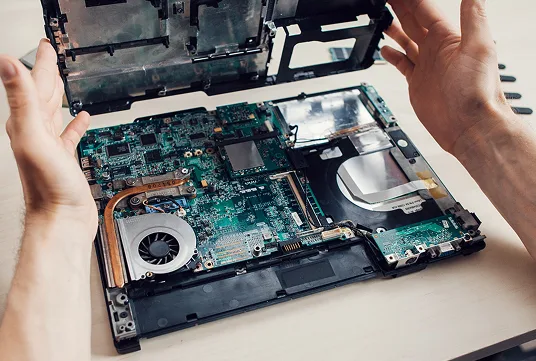
Keeping your PC in good condition is essential for ensuring stable performance, longer lifespan, and fewer unexpected issues. Whether you are using it for work, study, or business, regular maintenance helps prevent slowdowns, overheating, and hardware failures over time.
One of the most important steps is keeping your system clean, both physically and digitally. Dust can accumulate inside your PC or laptop over time, especially around fans and air vents, which can cause overheating and reduce performance. Regular internal cleaning and proper airflow management help keep temperatures under control and protect key components like the processor and graphics card.
Software maintenance is just as important. Make sure your operating system, drivers, and essential applications are always updated. Updates often include performance improvements, bug fixes, and security patches that keep your system stable and protected from vulnerabilities. Running an outdated system can lead to crashes, compatibility issues, and slower performance.
Storage management also plays a big role in system health. Over time, unnecessary files, unused applications, and temporary data can take up valuable space and slow down your PC. Regularly cleaning up your storage and organizing files helps improve loading speed and overall responsiveness. If possible, upgrading from a traditional hard disk to an SSD can significantly boost performance.
Lastly, managing startup programs can make a noticeable difference in performance. Many applications automatically run when your PC starts, which can slow down boot time and consume system resources unnecessarily. Disabling non-essential startup programs helps your PC start faster and run more efficiently.
Reliable on-site and remote IT services for homes and businesses, ready whenever you need support.